
IM-BOOTHIM-BOOTH
Getting Started with im-Booth
  • English
  • 简体中文
  • 繁體中文
Getting Started with im-Booth
  • English
  • 简体中文
  • 繁體中文
  • Getting Started with im-Booth
  • How To Use
  • Machine
  • Configuration
    • Information
    • Logo
    • Settings
    • Gallery
    • Scene
    • Video Backdrop
    • AR Banner
    • AR Face Sticker
    • Photo
    • Music
    • /en/4RFrame.html
    • Strip Frame
  • Library
  • Control Panel
  • Online Gallery

Online Gallery

Each Booth Configuration comes with an online Gallery page. We recommend you to create an unique Booth Configuration for each event.

Gallery Home Page
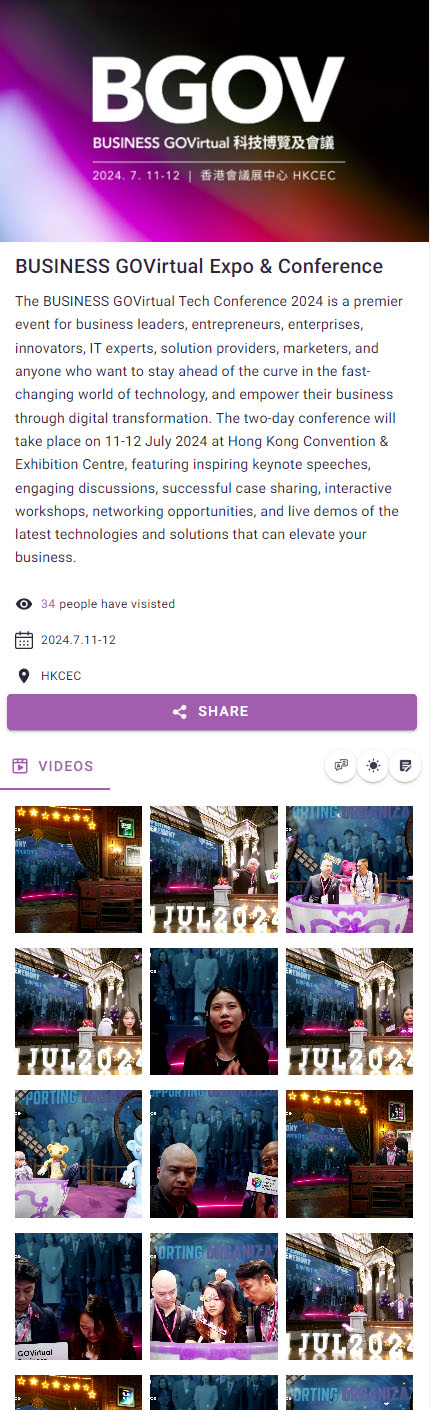
onlineGallery01

All the videos of the event can be found here.

Video Page
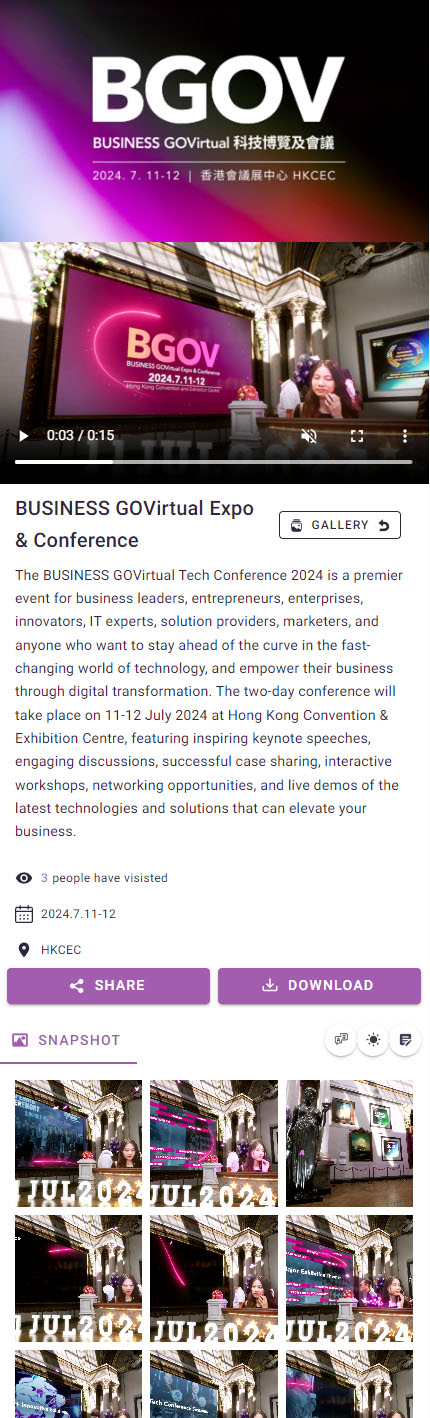
onlineGallery02

After recording a video, a QR code will be generated. Scanning this QR code will direct the user to the Video page, where they can share or download the video.

Share

Share the Video page url.

Download

Download the video to your device.

Snapshot
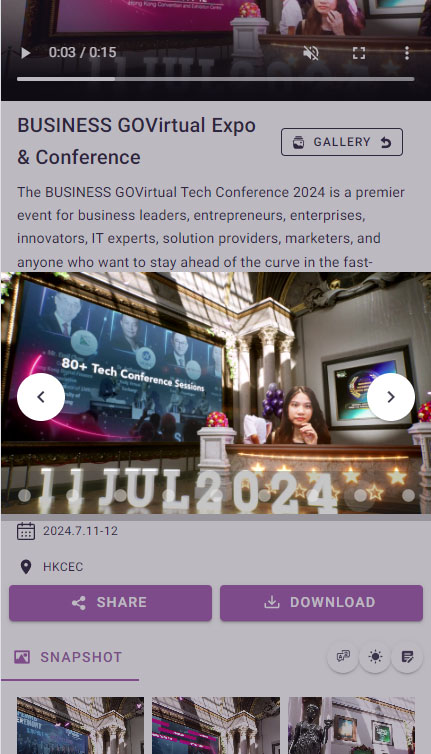
onlineGallery03

A set of 9 snapshots will be generated for each recorded video.

Last Updated:
Contributors: Carkos
Prev
Control Panel