
Control Panel
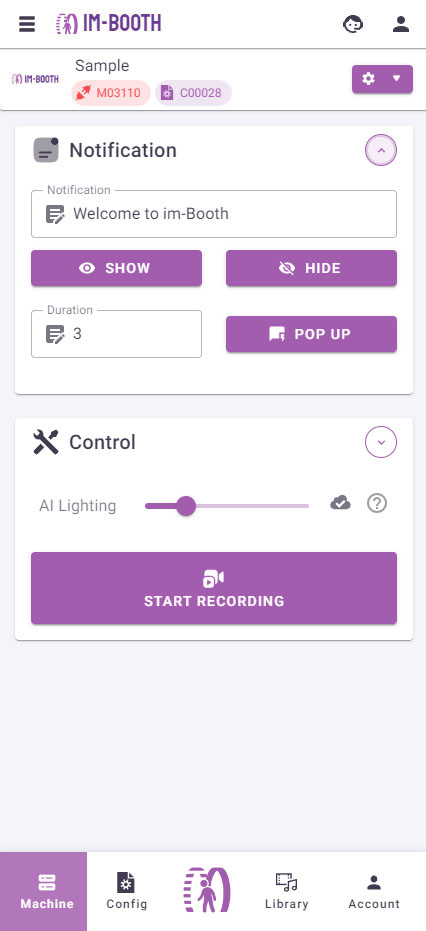
Control
AI Lighting
The amplitude of the AI auto-lighting feature. A higher value results in greater brightness intensity, while a value of 0 turns this option off.
Start Recording
This forces the cloud machine to start the recording process even if the user has not triggered the start button.
Restart Booth
Restart the im-Booth program when pressed.
TIP
This action will not restart the cloud machine.
Stop Recording
This forces the cloud machine to stop recording even if the record duration has not yet been reached.
Notification
This part overrides the original notification setting of the Booth Configuration that the cloud machine is using.
TIP
This is useful when you want to display a specific notification for one particular cloud machine, such as "Out of Service".
Configuration
Go to the Booth Configuration that this cloud machine is using.
More Actions
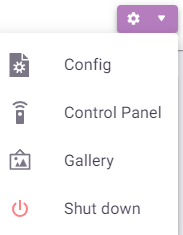
Shutdown
DANGER
By pressing this will shut down the cloud machine immediately
Config
A shortcut to Edit the Booth Configuration that the cloud machine is using right now.
Control Panel
A shortcut to Control Panel.
Gallery
A shortcut to Gallery Page that the cloud machine is using right now.