
Getting Started with im-Booth
Welcome to im-Booth - you’ve come to the right place. Whether you're a photobooth owner, a event planner, or someone looking to establish an online virtual presentation, We offer an intuitive platform that empowers you to bring your vision to life.im-Booth is easy to use and a one-stop SAAS solution for both online and offline events by blending AI and XR technologies.
 Follow the steps below to get started on your fused reality journey.
Step 0 | Create a free account
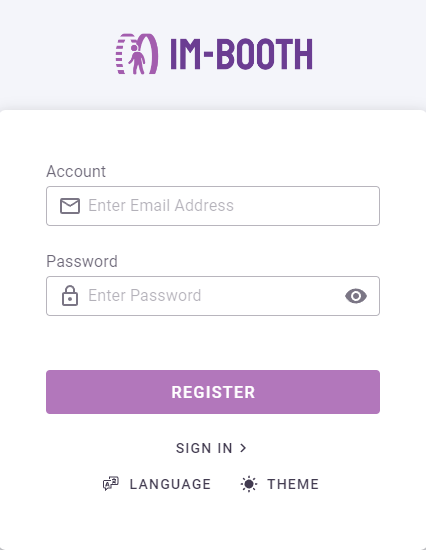
im-Booth is 100% free to sign up. Once you signed up, 20-minute free trial credits are offered to you. You can create a fully functioning cloud machine and manage your business without any upfront costs. You can also create as many cloud machines as you want by using ONE Configuration.
Step 1 | Create a cloud machine
WARNING
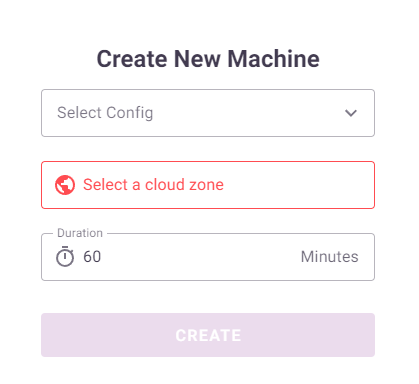
Credits are deducted once you press CREATE and refunded if stopped early.
Set Config
By default a Sample booth configuration is created for your quick test. You can always create/edit your configuration and apply to the cloud machine.
TIP
Learn more about Configuration.
Zone
To ensure the best experience, we recommend selecting the zone closest to your location. This will optimize performance and minimize any latency issues. Please note that our cloud resources are limited. If all available machines are currently occupied, and you need immediate access, feel free to reach out to here.
Duration
The cloud machine will shut down automatically once the time is reached.
TIP
1 credit = 1 minute
Step 2 | Setup the cloud machine
Setting up the camera
You can preview the camera feed here.
The camera feed will directly go into the cloud machine once you set up the camera properly.
Getting the ouput
You can preview the output feed here.
More Actions
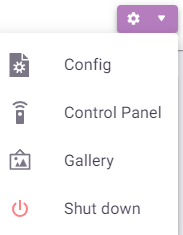
Shutdown
DANGER
By pressing this will shut down the cloud machine immediately
Config
A shortcut to Edit the Booth Configuration that the cloud machine is using right now.
Control Panel
A shortcut to Control Panel.
Gallery
A shortcut to Gallery Page that the cloud machine is using right now.
Step 3 | Manage and grow your business
Once your cloud machine is all set up, its time to grow your business. Use any smart device to open the output url link then show the stunning vision by monitors, TVs, projectors, or even LED walls!